When our ITPartSupply team quotes Seagate HDDs to B2B buyers, one question comes up more and more often:
“What exactly is an R-drive?”
Some buyers ask it directly.
Some ask in another way:
“Is this brand new?”
“Is this refurbished?”
“Is this relabeled?”
“Can I resell it to my customers?”
“Is it safe for NAS, CCTV, backup, or server replacement?”
“Why is the price lower than a brand-new drive?”
These are very practical questions. They are also the right questions to ask before buying HDDs in bulk.
In the HDD trading market, a Seagate R-drive usually refers to a Seagate recertified hard drive. It is not brand new, and it should never be sold as brand new. But when the condition is clearly disclosed, the drive is properly checked, and the supplier can support real photos, serial number information, warranty terms and pre-shipment testing, Seagate R-drives can be a practical option for many B2B storage projects as prices of Brand-new genuine branded HDDs have climbed substantially since August of 2025 and there is currently no downward trend in sight.
This guide is written from our daily sourcing and quotation experience at ITPartSupply. We want to explain what Seagate R-drives are, how they differ from relabeled drives and brand-new HDDs, and what buyers should check before placing a bulk order.
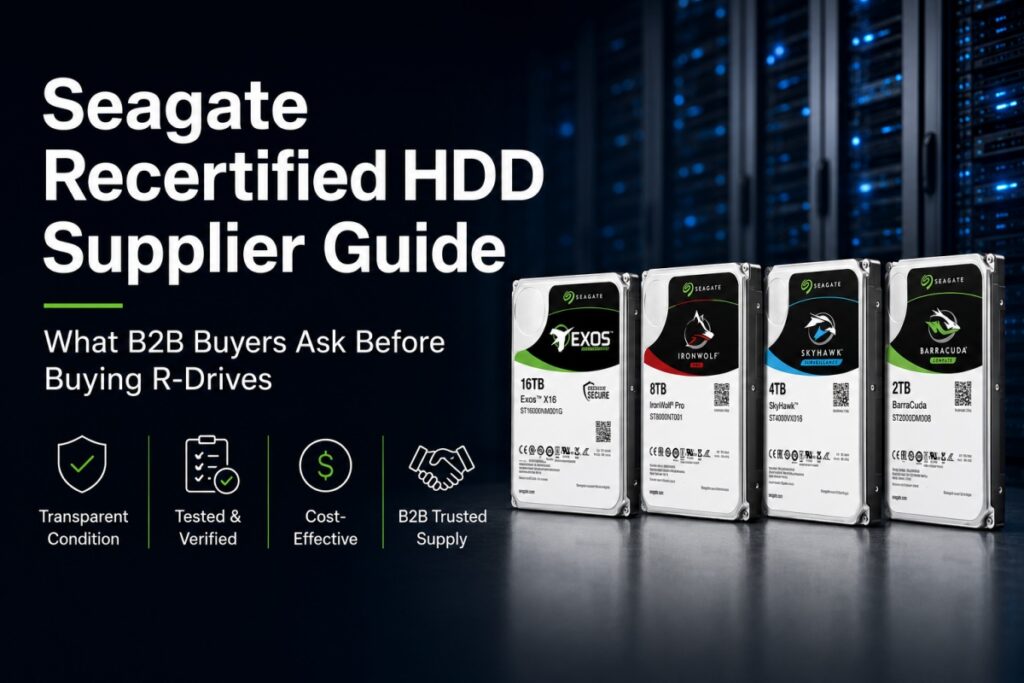
A Seagate R-drive usually means a Seagate recertified hard drive. It is not brand new and should not be marketed as new. Compared with unclear relabeled drives, a genuine recertified HDD is more transparent because the condition is disclosed. For B2B buyers, Seagate R-drives may be suitable for backup storage, NAS replacement, CCTV/NVR projects, repair channels, reseller stock and cost-sensitive storage projects when the supplier clearly explains the condition, testing, warranty and shipment terms.
From our daily conversations with distributors, system integrators, repair channels and storage project buyers, we see one clear pattern:
Buyers are not only looking for the lowest HDD price anymore.
They are asking:
“Do you have real stock?”
“Can you send photos before shipment?”
“Can you tell me if this is new or recertified?”
“Can I get a lower-cost option for this project?”
“Can this model replace my current HDD?”
“Can I buy mixed capacities for resale?”
“Can you support EXW Hong Kong or my forwarder pickup?”
These questions usually come from real purchasing pressure.
Some buyers need to reduce cost.
Some need replacement drives quickly.
Some need mixed-capacity stock for resale.
Some cannot wait for new stock lead time.
Some only need drives for backup, CCTV, repair or non-mission-critical storage.
This is where Seagate recertified HDDs become relevant.
But the first rule is simple:
A Seagate R-drive is not a brand-new HDD. The buyer must understand what they are buying.
In the HDD market, “R-drive” usually means “recertified drive.”
For Seagate products, this commonly refers to a Seagate recertified hard drive. It is not factory-new retail stock. It may come from controlled return, replacement, recovery, repurposed or other professional recertification channels before being tested and released again to the market.
When buyers ask us, “Is R-drive new?” our answer is always clear:
No. It is not brand new. It should be treated as recertified.
This clarity is important. If a supplier avoids the word “recertified” and only says “same as new,” buyers should be careful.
A professional HDD supplier should not hide the condition. The buyer needs to know whether the drive is:
Brand new
Recertified
Seller refurbished
Pulled
Used
Relabeled
Mixed-condition stock
For B2B procurement, the real question is not only:
“How cheap is this HDD?”
The better question is:
“What exactly am I buying, and can the supplier prove it?”
No. A Seagate R-drive is not brand new.
This is one of the first questions buyers ask us, especially when they compare our R-drive price with brand-new HDD prices.
Our answer is direct:
If you need factory-new HDDs with full new-condition requirements, then you should buy brand-new drives.
If your project accepts recertified condition and your priority is cost control, replacement, resale, backup or short-cycle storage demand, then Seagate R-drives may be worth considering.
A Seagate R-drive should not be described as:
Brand new
Factory new
100% new
Same as new
New original recertified
A more accurate description is:
Seagate recertified HDD
Seagate factory recertified hard drive
Manufacturer recertified Seagate HDD
Seagate R-drive
Recertified Seagate Exos HDD
Recertified Seagate IronWolf HDD
Recertified Seagate SkyHawk HDD
Recertified Seagate BarraCuda HDD
At ITPartSupply, we prefer clear wording because clear wording reduces disputes later.
In most B2B procurement situations, a clearly disclosed Seagate recertified HDD is much better than an unclear relabeled HDD.
The reason is simple:
A genuine recertified HDD tells the buyer what it is.
A relabeled HDD may hide what it really is.
Relabeled drives can create serious sourcing risk when the seller hides the original model, previous usage, warranty status, true condition or product identity. In some cases, a relabeled drive may be presented as a better model or a newer condition than it really is.
This is why we always tell buyers:
The problem is not only whether a drive has been used before.
The real problem is whether the condition is honestly disclosed.
For example, if a buyer knows the drive is recertified, understands the warranty terms, accepts the application risk, and receives real photos or testing support, the transaction is transparent.
But if a buyer thinks they are buying brand-new stock and later discovers the drive was relabeled or used, that is a completely different problem.
| Drive Type | What It Means | Transparency | Typical Price Level | B2B Risk | Best For |
|---|---|---|---|---|---|
| Brand New HDD | Factory-new drive | Highest | Highest | Lowest | Tenders, mission-critical projects, strict warranty demand |
| Seagate R-Drive / Recertified HDD | Recertified drive with condition disclosed | High if supplier is transparent | Usually lower than new | Medium | Backup, replacement, NAS, CCTV, resale, repair, budget-sensitive projects |
| Seller Refurbished HDD | Refurbished or checked by seller | Depends on seller | Lower | Medium to high | Repair market, low-cost resale, non-critical use |
| Relabeled HDD | Identity or condition may be unclear | Low | Usually low | High | Not recommended unless fully verified |
| Pulled Drive | Removed from previous system | Varies | Low | Medium to high | Buyers who accept known usage history |
The lowest price is not always the best choice.
In real B2B HDD sourcing, the safer choice is usually the one with clearer condition, better communication, real stock confirmation and more responsible after-sales terms.
Most Seagate R-drives are priced lower than brand-new HDDs because they are not new-condition products.
But the price difference is not fixed.
It depends on:
Model
Capacity
Market demand
Available quantity
Warranty condition
Supply tightness
Whether the drive is enterprise, NAS, surveillance or desktop class
Whether the buyer needs mixed models or one consistent batch
For some high-demand enterprise HDD models, especially larger capacities, the gap between recertified and brand-new stock may be smaller than buyers expect. In that case, the value of R-drives is not only the lower price. It may also be:
Faster availability
Flexible quantity
Mixed-capacity supply
Lower project cost
Replacement convenience
Better budget control
More realistic stock access
When buyers ask us, “How much cheaper is R-drive than brand new?” we usually answer:
It depends on the model and market situation. Please compare the final price together with condition, warranty, testing, application and available quantity.
The answer is: sometimes, but not for every enterprise project.
Seagate R-drives may be suitable for:
Backup storage
Replacement demand
Non-mission-critical data storage
Temporary storage expansion
Cost-sensitive enterprise projects
Server replacement
Reseller stock
Internal IT use where recertified condition is accepted
But we do not recommend R-drives for projects where the buyer clearly requires:
Factory-new condition
Full new-drive warranty
Strict government or enterprise tender compliance
Long-term mission-critical deployment
Finance, medical, defense or other highly regulated use
End customers who reject recertified products
This is why our team always asks buyers about the real application before quoting.
For example, a distributor buying R-drives for resale has a different risk profile from a data center buying drives for a critical production system.
The same model may be acceptable for one buyer and unsuitable for another buyer.
Our current Seagate R-drive focus covers multiple application scenarios, including enterprise storage, backup systems, NAS, surveillance, desktop storage, repair markets and channel resale.
Below are common model categories that B2B buyers often ask about.
| Application | Capacity Range | Seagate R-Drive Model Examples | Buyer Search Keywords |
|---|---|---|---|
| Enterprise / Data Center | 16TB–28TB | ST16000NM001G, ST22000NM001C, ST22000NM000C, ST24000NM000C, ST24000NM000H, ST26000NM000C, ST28000NM000C | Seagate Exos recertified HDD, enterprise HDD bulk supplier, data center HDD replacement |
| Enterprise Backup / Server Replacement | 2TB–10TB | ST2000NM000B, ST2000NM017B, ST3000NM000A, ST4000NM0033, ST4000NM0115, ST6000NM001C, ST6000NM019B, ST8000NM000A, ST10000NM000C, ST10000NM001C | backup storage HDD, bulk enterprise hard drives, server HDD replacement |
| NAS / SMB Storage | 1TB–10TB | ST1000VN002, ST2000VN003, ST8000VN004, ST4000NE001, ST6000NE000, ST10000NT001 | Seagate IronWolf recertified, NAS HDD supplier, SMB storage HDD |
| Surveillance / CCTV / NVR | 1TB–8TB | ST1000VX005, ST2000VX012, ST2000VX016, ST2000VX017, ST3000VX014, ST4000VX016, ST6000VX008, ST8000VX009 | Seagate SkyHawk recertified, CCTV HDD supplier, NVR hard drive bulk |
| Desktop / Resale Channel | 1TB–6TB | ST1000DM010, ST1000DM014, ST2000DM008, ST3000DM007, ST4000DM004, ST6000DM003 | Seagate BarraCuda recertified, desktop HDD wholesale, PC repair HDD stock |
For enterprise storage, data center replacement, server backup and high-capacity storage projects, buyers often focus on Seagate Exos and enterprise-class HDDs.
Common Seagate enterprise R-drive models may include:
ST16000NM001G
ST22000NM001C
ST22000NM000C
ST24000NM000C
ST24000NM000H
ST26000NM000C
ST28000NM000C
ST10000NM000C
ST10000NM001C
ST8000NM000A
ST6000NM001C
ST6000NM019B
ST4000NM0033
ST4000NM0115
ST3000NM000A
ST2000NM000B
ST2000NM017B
When a buyer asks us about these models, we usually check three things first:
What is the real application?
Is the buyer replacing existing drives or building a new project?
Does the end customer accept recertified condition?
For enterprise buyers, model matching is not only about capacity. Interface, workload, system compatibility, batch condition, testing and warranty all matter.
For NAS, RAID, small business storage and SMB server applications, buyers may compare Seagate IronWolf or NAS-oriented models.
Common NAS-related Seagate R-drive models may include:
ST1000VN002
ST2000VN003
ST8000VN004
ST4000NE001
ST6000NE000
ST10000NT001
A common buyer question is:
“Can I use recertified drives in a NAS?”
The practical answer is:
Yes, in some cases, especially for replacement, resale, budget-sensitive NAS expansion or non-critical storage. But the buyer should confirm RAID environment, backup policy, workload, warranty terms and end-customer acceptance.
For professional NAS projects, we always suggest buyers avoid making the decision based on price alone.
For surveillance, CCTV and NVR projects, buyers may look for Seagate SkyHawk or surveillance-oriented HDD models.
Common surveillance-related Seagate R-drive models may include:
ST1000VX005
ST2000VX012
ST2000VX016
ST2000VX017
ST3000VX014
ST4000VX016
ST6000VX008
ST8000VX009
One question we hear from CCTV buyers is:
“Can recertified HDDs be used for NVR projects?”
Our answer is:
They can be considered for certain cost-sensitive CCTV or NVR projects, but buyers must evaluate workload, recording environment, camera quantity, warranty terms and whether the project owner accepts recertified condition.
Surveillance drives may run for long hours. So the buyer should not only ask about price. They should also ask whether the drive family and condition are suitable for the application.
For desktop storage, PC upgrade, office PC storage, local repair channels and cost-sensitive resale, buyers may compare Seagate BarraCuda or desktop-class models.
Common desktop-related Seagate R-drive models may include:
ST1000DM010
ST1000DM014
ST2000DM008
ST3000DM007
ST4000DM004
ST6000DM003
These models are usually more suitable for:
Repair markets
Office PC storage
Desktop upgrades
Local reseller stock
Channel resale
Price-sensitive distribution
We do not suggest using desktop-class drives for enterprise, NAS or surveillance workloads unless the buyer clearly understands the application limit.
Different HDD families are designed for different workloads. A lower price does not make a desktop HDD an enterprise HDD.
Below are common questions our ITPartSupply team receives when buyers compare Seagate R-drives with brand-new or other HDD supply options.
It is not brand new. It should be treated as recertified. We recommend buyers confirm the condition before ordering and avoid any supplier who describes recertified drives as “100% new.”
When stock is available and ready for confirmation, real photos can help buyers check labels, model numbers, general appearance and packaging condition. For B2B buyers, photos are an important part of trust-building.
For some orders, serial number information may be available before shipment. Buyers should confirm this with the supplier during quotation. Serial number support is useful for verification, record keeping and after-sales tracking.
Yes, many reseller and repair-channel buyers prefer mixed-capacity orders. For example, they may combine 1TB, 2TB, 4TB, 6TB, 8TB, 10TB and higher-capacity enterprise models depending on their market demand.
They can be suitable for resale if the reseller clearly discloses the recertified condition to downstream customers. They should not be marketed as brand-new drives.
For mission-critical systems, brand-new HDDs are usually the safer recommendation. R-drives are better considered for budget-sensitive, replacement, backup, repair, resale or accepted-risk applications.
ITPartSupply supports Hong Kong and Shenzhen supply options depending on stock situation and order terms. Buyers may request EXW Hong Kong, EXW Shenzhen or forwarder pickup support.
Seagate R-drives may be a practical option when the project requires a balance between cost, availability and acceptable risk.
Typical suitable scenarios include:
Backup storage projects
Temporary capacity expansion
NAS replacement demand
CCTV/NVR storage replacement
IT reseller bulk stock
Repair channel supply
Budget-sensitive enterprise storage
Non-tender commercial projects
Mixed-capacity distribution
Short-cycle procurement
Channel resale stock
Server replacement demand
For these scenarios, R-drives can help buyers reduce acquisition cost and improve supply flexibility, especially when brand-new HDD supply is tight or the project budget is limited.
Recertified drives are not the right choice for every project.
Buyers should avoid Seagate R-drives when:
The end customer requires factory-new stock only
The project requires full original manufacturer warranty
The application is highly mission-critical
The project belongs to government, finance, medical, defense or compliance-heavy sectors
The tender document clearly specifies new condition only
The buyer cannot accept shorter warranty terms
The buyer has strict internal procurement rules against recertified products
The supplier cannot clearly disclose the condition
The supplier cannot support basic verification or testing
A responsible HDD supplier should never push R-drives into a project where brand-new drives are clearly required.
Before placing a bulk order for Seagate recertified HDDs, buyers should check:
Is the drive clearly sold as recertified, not brand new?
Can the supplier provide real product photos?
Can the supplier provide serial number information when applicable?
Can the supplier explain warranty terms clearly?
Can the supplier support pre-shipment testing?
Is the model suitable for enterprise, NAS, CCTV, desktop, backup or repair use?
Is the available stock physical stock or only a market quotation?
Is the batch mixed or consistent?
Can the buyer inspect the goods before shipment?
Can the supplier support EXW Hong Kong, EXW Shenzhen, DHL, FedEx or forwarder pickup?
Can the supplier support bulk quotation for distributors, system integrators, repair channels and project buyers?
Our team recommends asking these questions before payment, not after receiving the goods.
In the HDD market, the lowest price is not always the lowest risk.
A buyer may receive a very attractive quotation, but still face hidden problems such as:
Unclear condition
Mixed batches
Relabeled drives
Unknown previous usage
No testing support
No serial number support
No warranty clarity
No real stock
Delayed shipment
Wrong application matching
No after-sales responsibility
When buyers come to us only asking, “What is your best price?” we usually try to bring the conversation back to the real procurement risk.
The better questions are:
What exactly am I buying?
Is it brand new, recertified, refurbished, pulled, used or relabeled?
Can the supplier prove the condition?
Can the supplier support testing and documentation?
Is this drive suitable for my real application?
What happens if a problem appears after delivery?
A transparent Seagate R-drive supply chain can create value when the buyer understands the condition and the supplier clearly supports verification.
ITPartSupply supports global B2B buyers with Seagate recertified HDD sourcing from Hong Kong and Shenzhen supply channels.
We are not trying to make R-drives sound like brand-new drives. That would not help buyers, and it would not help long-term cooperation.
Our focus is to help buyers understand:
What model they are buying
What condition the drive is in
What application the drive fits
What warranty terms apply
What quantity is currently available
What shipment option is realistic
What risk should be considered before ordering
For buyers sourcing Seagate Exos, IronWolf, SkyHawk or BarraCuda recertified HDDs, we can support:
Current model list and available quantity
Real product photos when available
Serial number support when applicable
Pre-shipment checking
Application matching by enterprise, NAS, CCTV, backup, desktop or repair use
EXW Hong Kong support
EXW Shenzhen support
Forwarder pickup support
Bulk quotation for distributors, system integrators, repair channels and project buyers
Mixed-capacity sourcing for channel resale
Our approach is simple:
Clear condition disclosure
Real stock confirmation
Model matching by application
Pre-shipment checking where required
Transparent warranty terms
Practical quotation for B2B buyers
Hong Kong and Shenzhen supply support
For buyers who need brand-new HDDs, ITPartSupply can also support sourcing according to project requirements.
A Seagate R-drive usually refers to a Seagate recertified hard drive. It is not brand new. It is a drive that has gone through a recertification process and is sold with its condition disclosed.
No. A Seagate R-drive should not be sold as brand new. It should be clearly described as recertified.
Not exactly. A manufacturer recertified HDD usually refers to a drive recertified through the manufacturer’s process. A refurbished HDD may be checked or repaired by a third-party seller, and the quality can vary by supplier.
A genuine Seagate recertified HDD is generally safer than an unclear relabeled HDD because the condition is disclosed. A relabeled HDD can be risky if the seller hides the original model, condition, usage history or warranty status.
Usually, Seagate R-drives are priced lower than brand-new HDDs. However, the price difference depends on the model, capacity, market demand, quantity, warranty condition and availability.
They can be considered for certain budget-sensitive backup, replacement or non-mission-critical storage scenarios. However, brand-new drives are still recommended for strict enterprise, compliance-heavy or mission-critical long-term deployments.
They may be suitable for some NAS replacement or SMB storage projects if the buyer accepts recertified condition and understands the warranty and workload requirements. Buyers should confirm RAID environment, backup policy and end-customer acceptance.
They may be suitable for some CCTV or NVR projects when the buyer accepts recertified condition and confirms workload, recording environment, testing and warranty terms. For critical surveillance projects, buyers should carefully evaluate the risk.
Buyers should check condition disclosure, model application, real photos, serial number information when available, test results, warranty terms, batch consistency, physical stock, shipping method and after-sales responsibility.
Yes, IT distributors and repair channels may resell Seagate recertified HDDs if the product condition is clearly disclosed to downstream buyers. Recertified drives should not be marketed as brand-new drives.
Yes, mixed-capacity orders may be suitable for distributors, repair channels and resellers. Buyers can request current availability by model, capacity and application category.
Yes. ITPartSupply supports Hong Kong and Shenzhen supply options for B2B buyers, including EXW Hong Kong, EXW Shenzhen and forwarder pickup depending on the order and stock situation.
Seagate R-drives are not brand-new HDDs, and they should never be marketed as new.
But when they are clearly disclosed, properly checked and matched to the right application, they can be a valuable option for B2B buyers who need cost control, faster availability and flexible storage supply.
The real risk is not the word “recertified.”
The real risk is unclear condition.
At ITPartSupply, we believe transparency is the first layer of HDD quality control.
Looking for Seagate recertified HDDs for enterprise storage, NAS, CCTV, backup, repair or channel resale?
Contact the ITPartSupply team for the latest Seagate R-drive model list, available quantity, photos and bulk quotation.
Current Seagate R-drive coverage includes selected models from 1TB to 28TB, including enterprise HDDs, NAS HDDs, surveillance HDDs and desktop HDDs.
ITPartSupply
Enterprise HDD | SSD | Flash Storage | IC Components
Hong Kong & Shenzhen Supply Support
Website: itpartsupply.com
Contact our team for current stock list and B2B quotation.